Dual Reporting
In your organization, an employee may be reporting to two individuals. For such scenarios, the dual reporting feature can be enabled. When dual reporting is enabled the reportee's approvals can be viewed and approved by either the primary or the secondary reporting manager. Both of them can access the reportee's data.
This feature is especially handy in situations where the primary reporting manager is unavailable, allowing the secondary manager to step in and handle any required operations.
How to enable Dual Reporting
To enable this feature:
- Navigate to Settings > Employee Information > Policy > Basic Details.
- Enable Dual Reporting.
- To specify a user's Primary and Secondary reporting managers navigate to Operations > Employee Information > Employees.
- Click on the employee record to add or edit their Primary and Secondary reporting managers.

You can only change the Reporting Managers through an HR process if your organization has set it up this way. For more details on HR process, click here.
Use case
Let us consider an organization that has enabled the dual reporting feature.
Employee | Primary Reporting Manager | Secondary Reporting Manager |
Frank Ocean | Rinzee Wilma (Absent) | Jones Teri (Present) |
If Frank applies a leave request for an urgent business trip. A leave approval request goes to his reporting manager. However, Rinzee Wilma, Frank's reporting manager is on leave and thereby cannot approve the leave request at this time. Jones Teri, the secondary reporting manager can now intervene and approve the leave request, thereby preventing lack of action and delay.
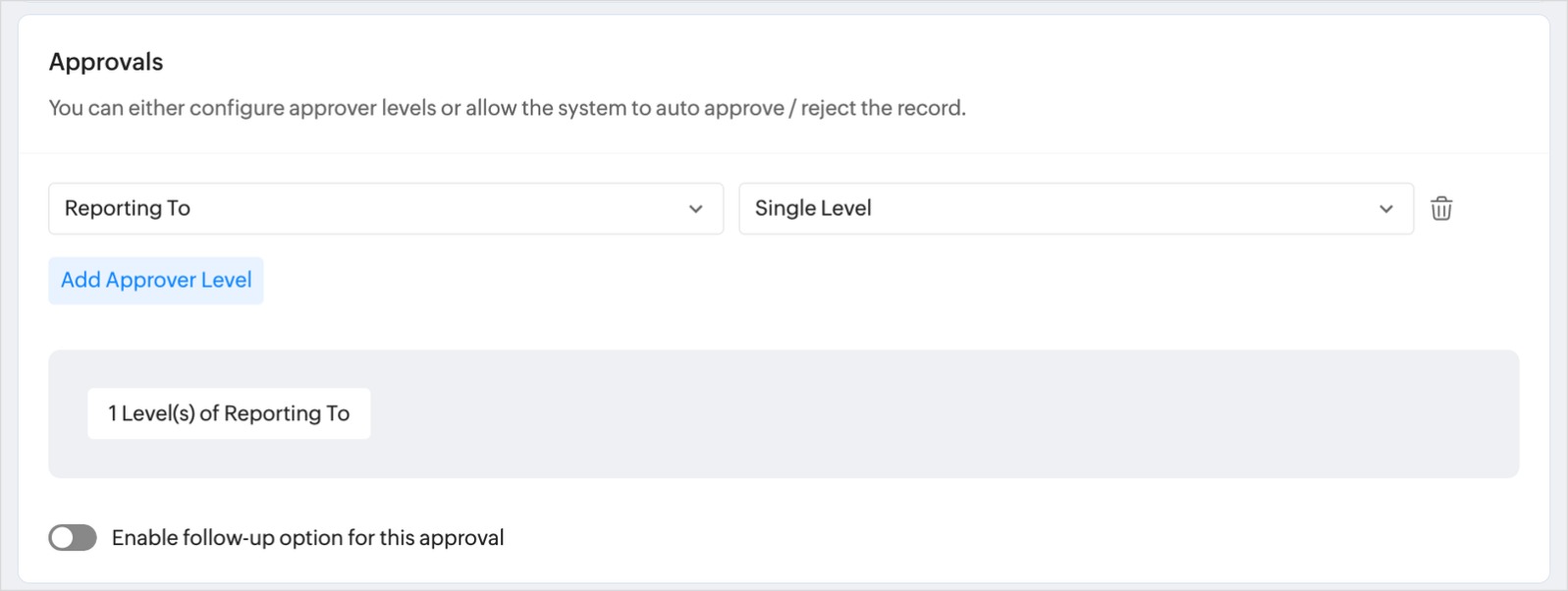
When setting up the approval process, if Reporting to is selected as an approver, approval requests will be sent to both Primary and Secondary reporting managers. For more information on approval process, refer to Approvals - Overview & Use Cases.
Related Articles
How do I re-assign reportees while changing employee status?
Follow these steps to re-assign reportees of a user: Before marking a user as inactive, please ensure the following: Check if any users have the employee set as their Reporting To. Check if any users have the employee set as their Secondary Reporting ...Why am I unable to edit my designation, department, location, or reporting manager in Zoho People? There’s a lock icon next to these fields—how can I update them?
These are the steps to follow when you are unable to edit designation department, locations, or reporting manager: If you see a lock icon next to these fields, it means an HR process has been configured to control changes to them, so direct editing ...Approvals - Overview & Use Cases
What is the approvals feature in Zoho People? Approvals refer to the defined process of handling consent for specific requests or official work. It usually involves managers and other members of the hierarchy to grant approval for requests from ...Performance Methods
What are Performance Methods? Performance methods are utilized to assess employee performance, the evaluations of which contribute to the determination of how well employees perform. Enable the methods based on your organization's employee evaluation ...Continuous Review - Settings
What is Continuous Review? A Continuous Review is an ongoing performance evaluation process that facilitates regular feedback on employee performance throughout the year, rather than just once annually. This approach results in a more accurate ...